





- Written by: admindigiroutes
- September 28, 2026
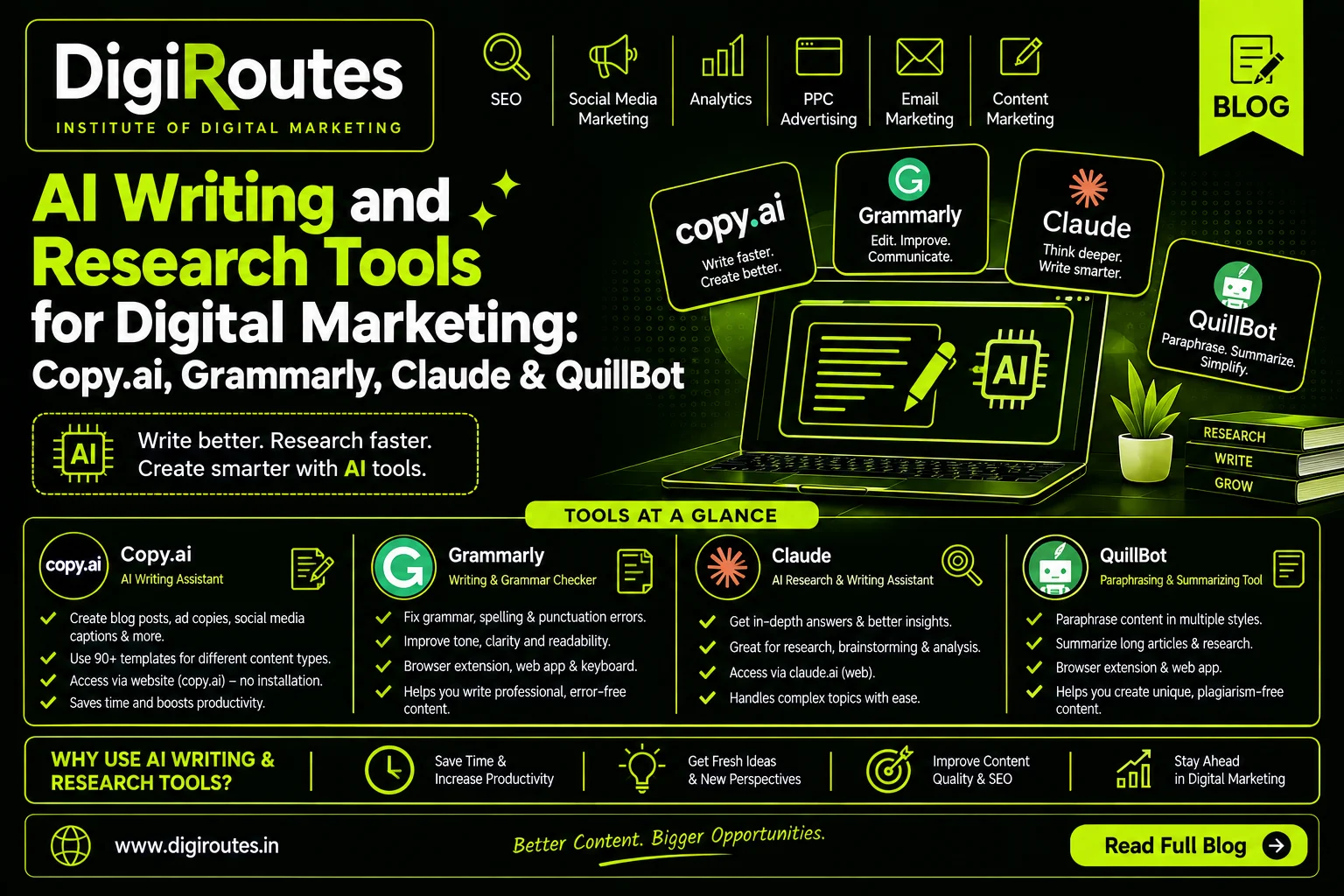
AI Writing and Research Tools for Digital Marketing
Artificial intelligence has changed how digital marketers research, write, edit and manage content.
A marketer may need to create a blog, write social media captions, prepare an advertisement, research a topic, rewrite website content, check grammar, summarize information or create multiple versions of the same message.
AI tools can help with many of these tasks.
But learning an AI tool is not simply about knowing where to click.
A professional digital marketer needs to understand:
What is this tool used for? → When should I use it? → What should I ask it to do? → How do I review the output? → How can I turn the output into useful marketing content?
At DigiRoutes – Institute of AI & Digital Marketing, students can learn AI-assisted workflows that connect these tools with practical digital marketing activities such as content marketing, SEO, social media, branding, research and campaign planning.
In this guide, we will explore four useful tools:
- Copy.ai
- Grammarly
- Claude
- QuillBot
Each tool has a different purpose, and understanding those differences helps students choose the right tool for the right marketing task.
What Are AI Writing and Research Tools?
AI writing and research tools use artificial intelligence to help users generate, improve, analyze or organize information.
Depending on the platform, they can assist with:
- Content creation
- Copywriting
- Research
- Brainstorming
- Rewriting
- Grammar correction
- Summarization
- Content optimization
- Marketing campaigns
- Social media content
- Email writing
- Competitor research
- Document analysis
- Content repurposing
These tools can improve productivity, but they should not replace human marketing judgment.
A marketer still needs to understand:
Audience + Brand + Search Intent + Strategy + Accuracy + Creativity + Business Objective
Why Should Digital Marketing Students Learn AI Writing Tools?
Digital marketing involves producing a large amount of written and visual content.
For example, one digital marketing professional may work on:
- Website content
- SEO blogs
- Meta descriptions
- Social media captions
- Instagram posts
- LinkedIn content
- Google Ads copy
- Email campaigns
- Product descriptions
- Landing pages
- Marketing reports
- Client presentations
AI tools can help marketers work through these tasks more efficiently.
However, the goal should not be:
“Let AI create everything.”
The better approach is:
“Use AI to accelerate the work while keeping strategy, accuracy and final decisions with the marketer.”
That is the approach students should learn through practical digital marketing training.
1. Copy.ai – AI Tool for Marketing Content and Workflows
Primary Purpose: Marketing content creation, copywriting, content workflows and marketing automation support.
Copy.ai has evolved beyond a simple AI copywriting tool. Its current platform focuses heavily on marketing workflows and provides templates and workflows for activities such as content briefs, competitor analysis, advertising copy, LinkedIn posts and content repurposing.
What Is Copy.ai?
Copy.ai is an AI-powered platform designed to help businesses and marketers create content and streamline repetitive marketing workflows.
It can be useful when marketers need to generate multiple pieces of marketing content from a common brief.
For example, one campaign might require:
- Blog content
- Facebook ad copy
- Google Ads headlines
- LinkedIn posts
- Email content
- Social media captions
Copy.ai can help organize and accelerate these content tasks.
What Is Copy.ai Used For?
Digital marketers can use Copy.ai for:
- Marketing copy
- Blog content
- Content briefs
- Social media content
- LinkedIn posts
- Advertisement copy
- Email campaigns
- Content repurposing
- Competitor analysis
- FAQ generation
- Marketing workflows
Copy.ai’s official workflow examples include generating content briefs from keywords, creating blog posts from briefs, producing ad copy from persona information and repurposing content across channels.
How to Access Copy.ai
Students can access Copy.ai through its web platform.
The general process is:
Step 1: Visit the Copy.ai website.
Step 2: Create or sign in to your account.
Step 3: Explore the available workflows or content tools.
Step 4: Select a workflow based on your marketing requirement.
Step 5: Provide relevant information such as:
- Business
- Product
- Target audience
- Brand information
- Keyword
- Campaign objective
- Content format
Step 6: Generate the output.
Step 7: Review, edit and customize the content.
Example: Using Copy.ai for a Marketing Campaign
Imagine that a student is working on a campaign for a digital marketing institute.
The student can provide:
Business: Digital Marketing Institute
Audience: College students and fresh graduates
Location: Pune
Objective: Generate course enquiries
Service: Digital Marketing Course
The student can then develop:
- Social media ideas
- Ad copy
- Blog topics
- LinkedIn content
- Email ideas
- Promotional messaging
The important step is not stopping after generating the content.
Students should review whether:
- The message matches the audience
- The information is accurate
- The tone matches the brand
- The CTA is appropriate
- The content is original and useful
How DigiRoutes Teaches Copy.ai
At DigiRoutes, Copy.ai can be taught through a campaign-based exercise.
Practical Workflow
Business Research → Audience → Campaign Objective → Content Brief → AI Generation → Human Editing → SEO/Marketing Optimization → Publishing
Students can practise creating a complete content campaign rather than learning individual buttons.
Skills Students Learn
- Marketing copywriting
- Campaign thinking
- Audience targeting
- Content repurposing
- AI-assisted content creation
- Marketing workflow development
- Content editing
Benefits of Copy.ai for Digital Marketers
- Speeds up content ideation
- Helps create multiple content variations
- Supports marketing workflows
- Useful for campaign content
- Helps repurpose existing content
- Can support structured content creation
Key Learning Point
Copy.ai is most useful when you already understand the marketing objective.
AI can generate content, but the marketer must decide what should be communicated and why.
2. Grammarly – AI Writing, Editing and Communication Assistant
Primary Purpose: Improve writing quality, clarity, tone, grammar and communication.
Grammarly has expanded from a grammar-checking product into an AI-powered writing and communication platform. Its current features include AI Chat, rewriting, tone adjustment, proofreading and other AI agents.
What Is Grammarly?
Grammarly is an AI-powered writing assistant that helps users improve written communication.
For digital marketers, writing quality matters because marketers regularly create:
- Emails
- Blogs
- Website content
- Social media posts
- Advertisements
- Proposals
- Reports
- Client communication
A small grammar or clarity problem can affect how professional a message appears.
What Is Grammarly Used For?
Digital marketers can use Grammarly for:
- Grammar checking
- Spelling correction
- Sentence improvement
- Clarity
- Tone adjustment
- Rewriting
- Content refinement
- Email writing
- Social media writing
- Professional communication
- Brainstorming
- AI-assisted writing
Grammarly’s current AI tools can help users compose, rewrite, ideate and reply, while its AI Chat can also help with brainstorming, research and refining ideas.
How to Access Grammarly
Grammarly can be used through its web-based writing environment, browser extensions and supported desktop/mobile products.
A simple workflow is:
Step 1: Create a Grammarly account.
Step 2: Open Grammarly’s writing environment or install the supported browser extension.
Step 3: Write or paste your content.
Step 4: Review the suggestions.
Step 5: Accept, reject or modify the recommendations.
Step 6: Use AI writing features when you need additional rewriting, brainstorming or refinement.
Grammarly’s current documentation also describes its Docs writing environment, where users can create or upload documents and access AI-supported writing tools.
Example: Grammarly for Social Media Content
Suppose a student writes:
“Our digital marketing course will help students learn many things and improve their career.”
The idea may be correct, but the message can be made more specific and engaging.
A marketer could use Grammarly to review:
- Clarity
- Tone
- Word choice
- Sentence structure
The student can then create a stronger version while maintaining the intended message.
Grammarly for Email Marketing
Grammarly can also be useful when creating:
- Promotional emails
- Follow-up emails
- Client emails
- Internship communication
- Admission emails
- Business proposals
Students can practise changing the same message into different tones:
Professional → Friendly → Persuasive → Concise
This teaches an important marketing skill:
The same message can require different communication styles depending on the audience.
How DigiRoutes Teaches Grammarly
The focus should be on using Grammarly as a quality-control and communication tool.
Practical Workflow
Write → Check → Understand Suggestions → Improve → Adjust Tone → Final Review
Students should not blindly accept every suggestion.
Instead, they should understand why a change improves the content.
Benefits of Grammarly
- Improves writing clarity
- Helps identify grammar and spelling issues
- Supports tone adjustment
- Helps refine marketing copy
- Useful for professional communication
- Can assist with brainstorming and rewriting
- Works within several writing environments
Grammarly currently provides AI-assisted writing features through its web experience and supported integrations.
Key Learning Point
Grammarly helps improve communication, but it does not replace the marketer’s message or strategy.
3. Claude – AI Assistant for Research, Analysis and Content Creation
Primary Purpose: Research, analysis, writing, document understanding and complex content workflows.
Claude is Anthropic’s AI assistant. Current Claude capabilities include document and image analysis, web search, research, projects, data analysis and content creation.
For digital marketing students, Claude can be particularly useful when working with long documents, structured research and detailed content projects.
What Is Claude Used For?
Digital marketers can explore Claude for:
- Research
- Content writing
- Content strategy
- Document analysis
- Data analysis
- Competitor research
- Marketing reports
- Content planning
- Summarization
- Brainstorming
- Website/content analysis
- Creating structured deliverables
Claude also provides Projects for organizing related conversations and knowledge, while its Artifacts feature can create reusable documents, visualizations, websites and other standalone outputs.
How to Access Claude
Claude can be accessed through the Claude web application and supported desktop/mobile experiences.
The basic process is:
Step 1: Visit Claude.
Step 2: Create an account or sign in.
Step 3: Start a new conversation.
Step 4: Describe the marketing task.
Step 5: Upload relevant documents when required.
Step 6: Review and refine the response.
Some advanced features depend on the Claude plan. For example, Anthropic currently documents Research as a feature for paid plans and Projects as a paid-plan feature.
Claude for Digital Marketing Research
Suppose a student has a 30-page industry report.
Instead of reading every section manually before understanding the structure, the student can use Claude to help:
- Summarize the report
- Identify major themes
- Extract important points
- Organize information
- Identify potential marketing insights
- Create questions for further research
The student should still verify important facts and use the original document as the source of truth.
Claude Projects for Marketing
Claude Projects can be useful for keeping related information together.
For example, a student could create a project:
“Digital Marketing Institute Campaign”
The project could contain:
- Brand information
- Audience profile
- Course details
- Competitor research
- Content guidelines
- Previous campaigns
- Marketing objectives
Anthropic’s documentation says Projects can include uploaded documents and project instructions that Claude uses as context within chats.
This teaches students an important concept:
AI becomes more useful when you provide relevant context.
Claude Artifacts for Digital Marketing
One interesting feature is Artifacts.
Claude can create standalone outputs such as:
- Documents
- Websites
- Diagrams
- Visualizations
- Code
- Interactive components
These can be edited and iterated within the Claude environment.
Example Classroom Exercise
Students can ask Claude to create:
“Create a simple interactive digital marketing funnel showing awareness, consideration, conversion and retention.”
Students can then refine the output.
This introduces students to the idea that AI can help create interactive marketing resources, not just text.
Claude Research for Digital Marketing
Claude’s Research feature can perform multiple searches and build research from different angles, with citations. Anthropic currently documents Research as available on paid Claude plans when web search is enabled.
Students can use this type of workflow for:
- Industry research
- Competitor research
- Market research
- Content research
- Trend research
Research Workflow
Question → Research → Multiple Sources → Analysis → Citations → Human Verification
How DigiRoutes Teaches Claude
Students can practise using Claude for a complete research assignment.
Example
Topic: Digital Marketing Career Opportunities
Students can:
- Define the research question
- Research the topic
- Upload relevant documents
- Ask Claude to organize findings
- Identify useful insights
- Verify important claims
- Convert research into an article
- Create social media content from the article
This demonstrates how one research activity can produce multiple marketing assets.
Benefits of Claude
- Useful for detailed conversations
- Strong document-analysis workflows
- Research capabilities
- Projects for organized context
- Artifacts for standalone outputs
- Useful for content development
- Useful for structured analysis
- Can work with uploaded files
Key Learning Point
Claude is especially valuable when the marketing task requires context, analysis and iteration rather than a simple one-line answer.
4. QuillBot – AI Paraphrasing, Editing and Research Support Tool
Primary Purpose: Rewriting, paraphrasing, grammar improvement, summarization and writing refinement.
QuillBot provides a suite of AI writing tools including a Paraphraser, Grammar Checker, Summarizer, Citation Generator, AI Chat, Translator and other writing and originality tools.
What Is QuillBot Used For?
Digital marketing students can use QuillBot for:
- Paraphrasing
- Sentence rewriting
- Grammar checking
- Summarization
- Content refinement
- Tone adjustment
- Translation
- Citation generation
- Writing improvement
- Content variations
QuillBot also provides tools for social media posts, article rewriting and marketing copy.
How to Access QuillBot
QuillBot can be accessed through its website, browser extensions and supported applications.
The basic workflow is:
Step 1: Visit QuillBot.
Step 2: Select the required tool.
Step 3: Enter or upload your content.
Step 4: Choose the appropriate mode or requirement.
Step 5: Generate the result.
Step 6: Review and edit the output.
QuillBot currently offers free access to several tools, while some tools or higher usage limits require paid access.
QuillBot for Digital Marketing Content
Imagine a marketer has written:
“Digital marketing helps businesses reach customers through different online channels.”
The marketer may want several versions for:
- Website
- Blog
- Social media
- Presentation
QuillBot can help create alternative wording while the marketer maintains control over the final message.
QuillBot for Content Summarization
Digital marketers regularly work with long:
- Reports
- Articles
- Research documents
- Emails
- Competitor information
QuillBot’s Summarizer can help extract key information from longer content.
Students can practise turning a lengthy article into:
Research → Key Points → Marketing Insight → Content Idea
QuillBot for Grammar and Writing Improvement
QuillBot’s Grammar Checker can help identify writing issues involving grammar, spelling and usage.
This is useful for students preparing:
- Blogs
- Assignments
- Social media captions
- Marketing reports
- Emails
- Website content
How DigiRoutes Teaches QuillBot
The goal is not to teach students to simply “rewrite everything.”
Instead, students can learn:
Original Idea → Draft → Review → Paraphrase Where Appropriate → Fact Check → Human Edit → Final Content
This distinction is important.
Paraphrasing should not be used to disguise copied material or remove the need for attribution. Students should understand originality, copyright and proper source use.
Benefits of QuillBot
- Helps improve sentence structure
- Supports paraphrasing
- Helps summarize information
- Supports grammar improvement
- Provides writing assistance
- Useful for content variations
- Can support research workflows
- Offers multiple writing tools in one platform
Key Learning Point
Use QuillBot to improve and refine your writing—not to replace original thinking.
Copy.ai vs Grammarly vs Claude vs QuillBot
Each tool serves a somewhat different role.
| Tool | Main Purpose | Digital Marketing Use |
|---|---|---|
| Copy.ai | Marketing content and workflows | Campaign copy, content briefs, ads, social content |
| Grammarly | Writing quality and communication | Grammar, clarity, tone, emails and content refinement |
| Claude | Research, analysis and content | Research, document analysis, strategy and detailed content |
| QuillBot | Paraphrasing and writing refinement | Rewriting, summarization, grammar and content variations |
These are not permanent rankings. AI platforms continuously add, remove and change features, so students should learn the underlying marketing task rather than memorize which tool is “best.”
Important: AI Does Not Mean Copy and Publish
One of the biggest mistakes beginners make is:
Generate → Copy → Paste → Publish
Instead, teach:
Research → Generate → Evaluate → Fact Check → Edit → Add Original Value → Optimize → Publish
For digital marketing students, this difference is extremely important.
AI can generate a sentence in seconds.
But a professional marketer needs to decide:
- Is it accurate?
- Is it useful?
- Is it relevant to the audience?
- Does it match the brand?
- Is it original?
- Does it satisfy search intent?
- Can the claim be supported?
- Does it help the business objective?
Frequently Asked Questions
- What are AI writing tools for digital marketing?
AI writing tools are platforms that use artificial intelligence to help marketers research, create, rewrite, edit, summarize or optimize written content. - What is Copy.ai used for?
Copy.ai is designed around AI-assisted marketing content and workflows. Marketers can use it for content briefs, blog content, advertising copy, social posts, competitor analysis and content repurposing. - What is Grammarly used for in digital marketing?
Grammarly helps marketers improve grammar, clarity, tone and written communication. Its current AI features also support drafting, rewriting, brainstorming and other writing workflows. - What is Claude used for?
Claude can assist with research, writing, document analysis, data analysis and content creation. Features such as Projects and Artifacts can support larger, more structured workflows. - What is QuillBot used for?
QuillBot provides AI-powered writing tools including paraphrasing, grammar checking, summarization, citation generation, translation and other content tools. - Which AI tool should a digital marketing student learn first?
The answer depends on the task. Students should understand the purpose of each tool and practise choosing a tool based on whether they need research, marketing copy, editing, paraphrasing or document analysis. - Can AI tools write SEO blogs?
Yes, AI tools can assist with SEO blog research, outlines and drafting. However, the final article should be reviewed for search intent, accuracy, originality, useful information, internal linking and overall content quality. - Can AI completely replace a content writer?
AI can assist with many writing tasks, but content strategy, audience understanding, fact checking, brand voice, originality and editorial judgment remain important human responsibilities. - Are AI-generated answers always accurate?
No. AI systems can produce incorrect, incomplete or outdated information. Important facts, statistics and claims should be verified using reliable sources. - Should students use multiple AI tools?
Learning multiple tools can be useful when each tool solves a different problem. The objective should not be collecting tools; it should be learning how to use the right tool for a specific marketing task.
Final Takeaway
AI has become an important part of modern digital marketing.
But successful AI-assisted marketing is not about knowing the largest number of tools.
It is about understanding which tool can solve which problem.
Copy.ai can support marketing content and workflows.
Grammarly can help improve writing quality, clarity and communication.
Claude can support research, analysis, document work and detailed content workflows.
QuillBot can assist with paraphrasing, summarization and writing refinement.
At DigiRoutes – Institute of AI & Digital Marketing, students can learn these tools as part of practical marketing activities rather than studying them in isolation.
The learning process becomes:
Understand the marketing problem → Select the right AI tool → Write a strong prompt → Generate or research → Evaluate → Edit → Optimize → Verify → Apply → Measure
That is the difference between knowing an AI tool and knowing how to use AI as a digital marketer.